
The situation
Baggers is an office of two people, with an independent broker's work: arranging policies and helping customers when something goes wrong. Customers need the same few things again and again. Where do I report damage? What is the emergency number for my insurer? Which form do I need after a collision? Most of them are over fifty.
The old site was outdated. The aim of the new one is not new customers. It is that existing customers find their own way, so the office has time for the calls that need a person.
The website
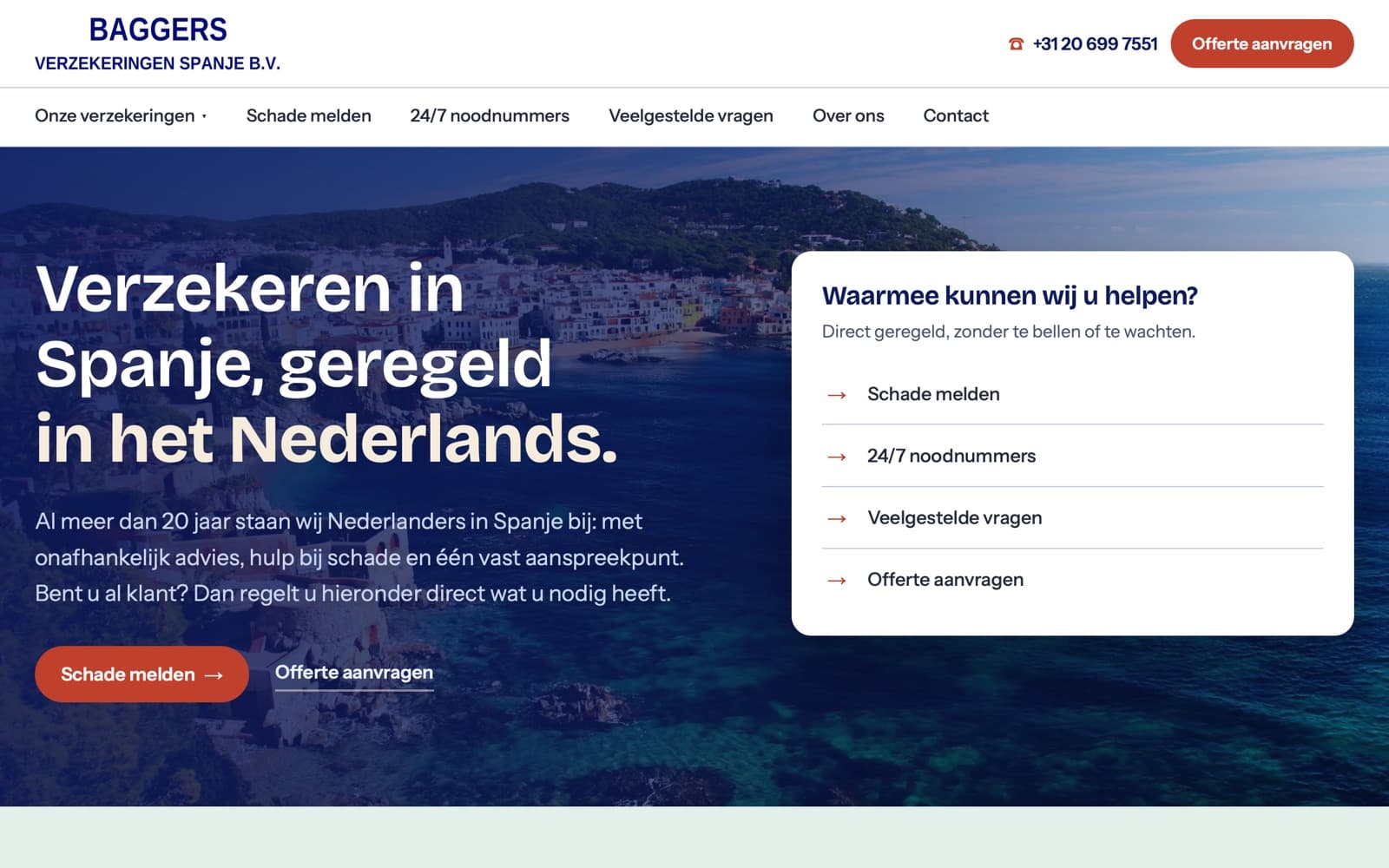
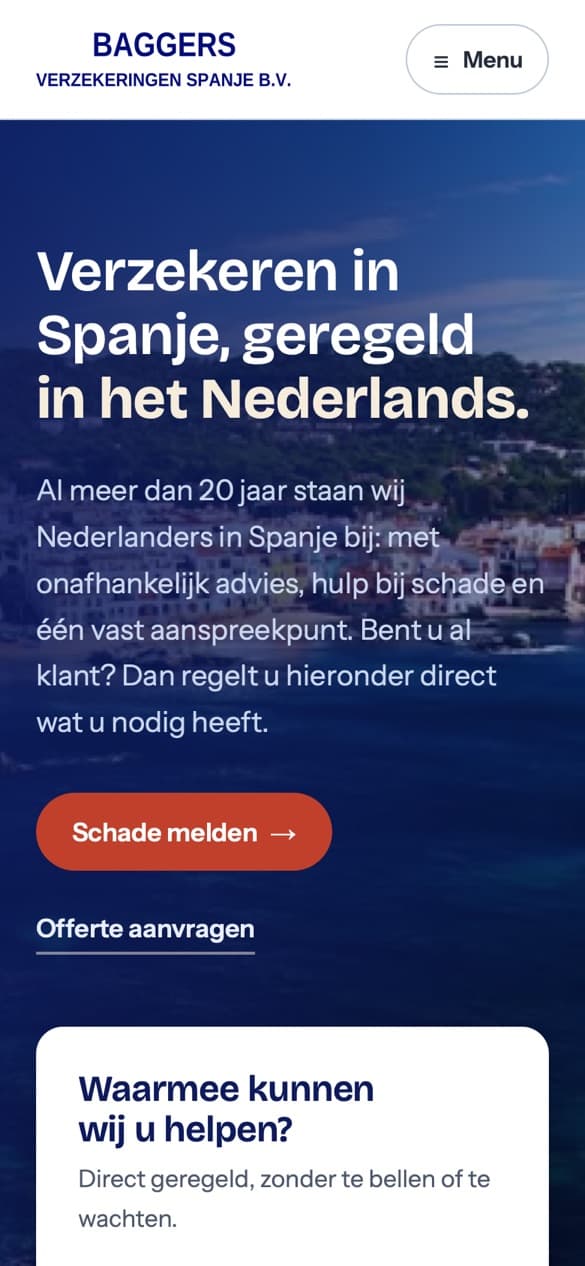
Service first. The homepage opens with three things: report a claim, the 24/7 emergency numbers, and the common questions. Asking for a quote is there too, but it doesn't take over the page.
Ten insurances, one structure. Home and contents, liability, legal expenses, business, car, motorbike and scooter, boat, travel, health and life. Each has its own page with the same plain layout.
Easy to use. Big tap areas and clear contrast, because the audience is mostly over fifty. There is a skip link for people who navigate by keyboard, and in Google's mobile test the homepage scores 100 for accessibility and for SEO.
Dutch only. A choice by the client, so there is no language switch to get lost in.
Reporting a claim
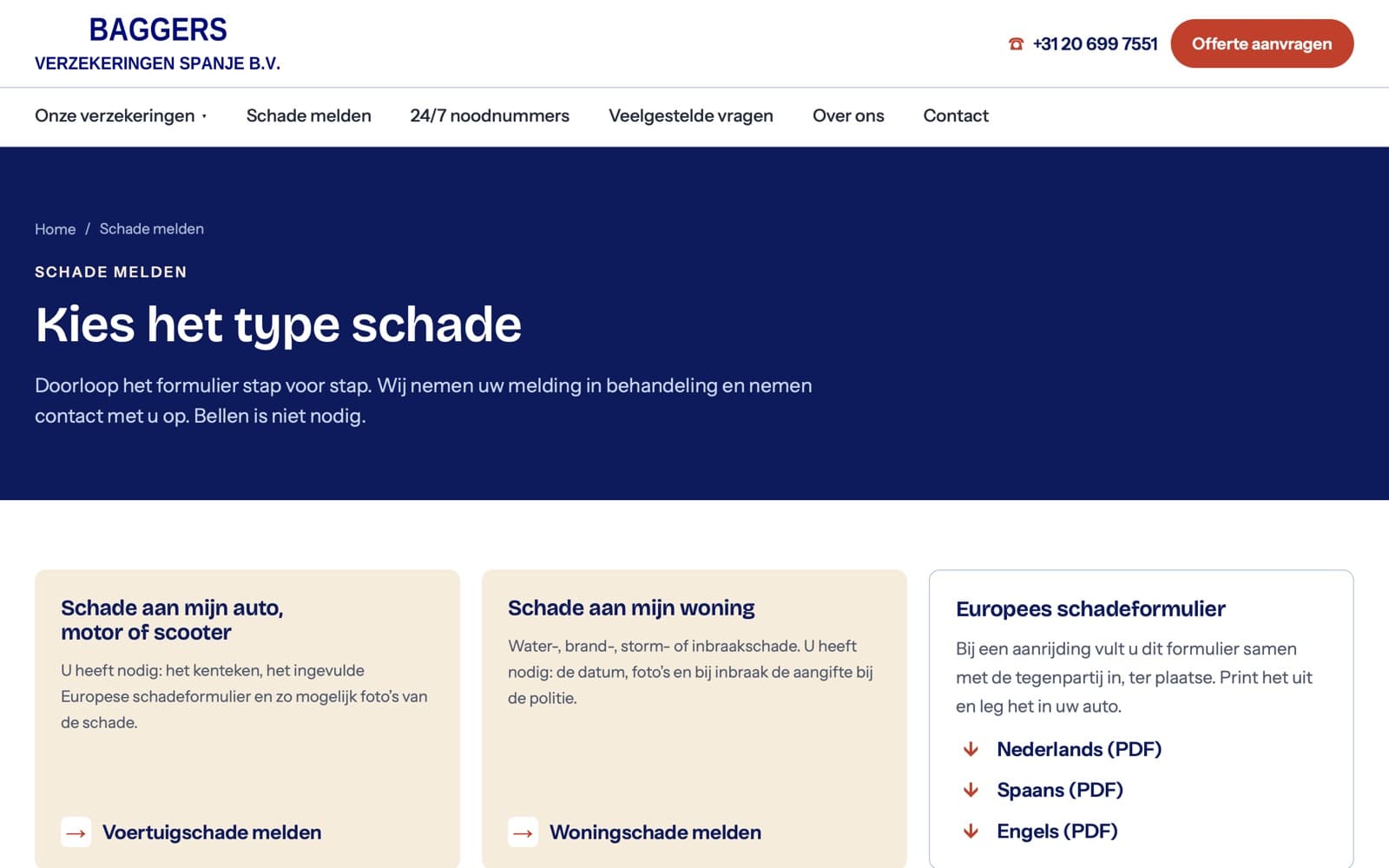
Pick the type of damage, then follow the steps. A car, motorbike or scooter claim and a home claim each have their own form, in steps with a progress bar and a note on what to have ready: the registration, the filled-in accident form, photos, the police report for a burglary.
The European accident form, ready to print. After a collision the two drivers fill it in together. It can be downloaded in Dutch, Spanish and English, so that it is in the language both drivers share.
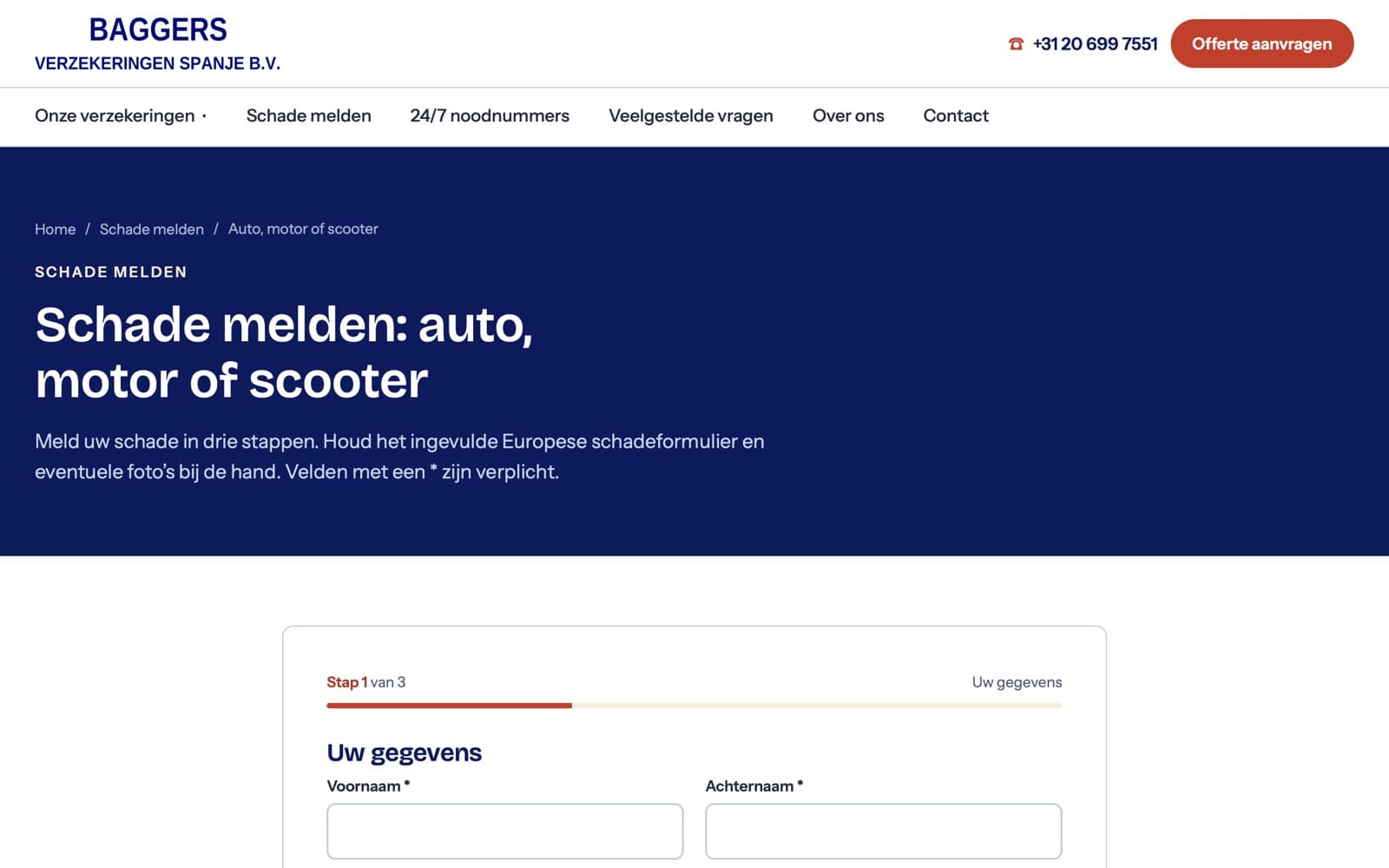
Photos and documents travel with the claim. Customers add photos, invoices and reports to the form. They are stored privately and are never reachable through a public address, because a police report on an open link is a leak.
The office gets everything in one mail. The details and the attachments arrive together, with a reference number. The customer gets a confirmation. A visitor can also forget half of it: the form says what is missing before it lets them send.
Emergency numbers
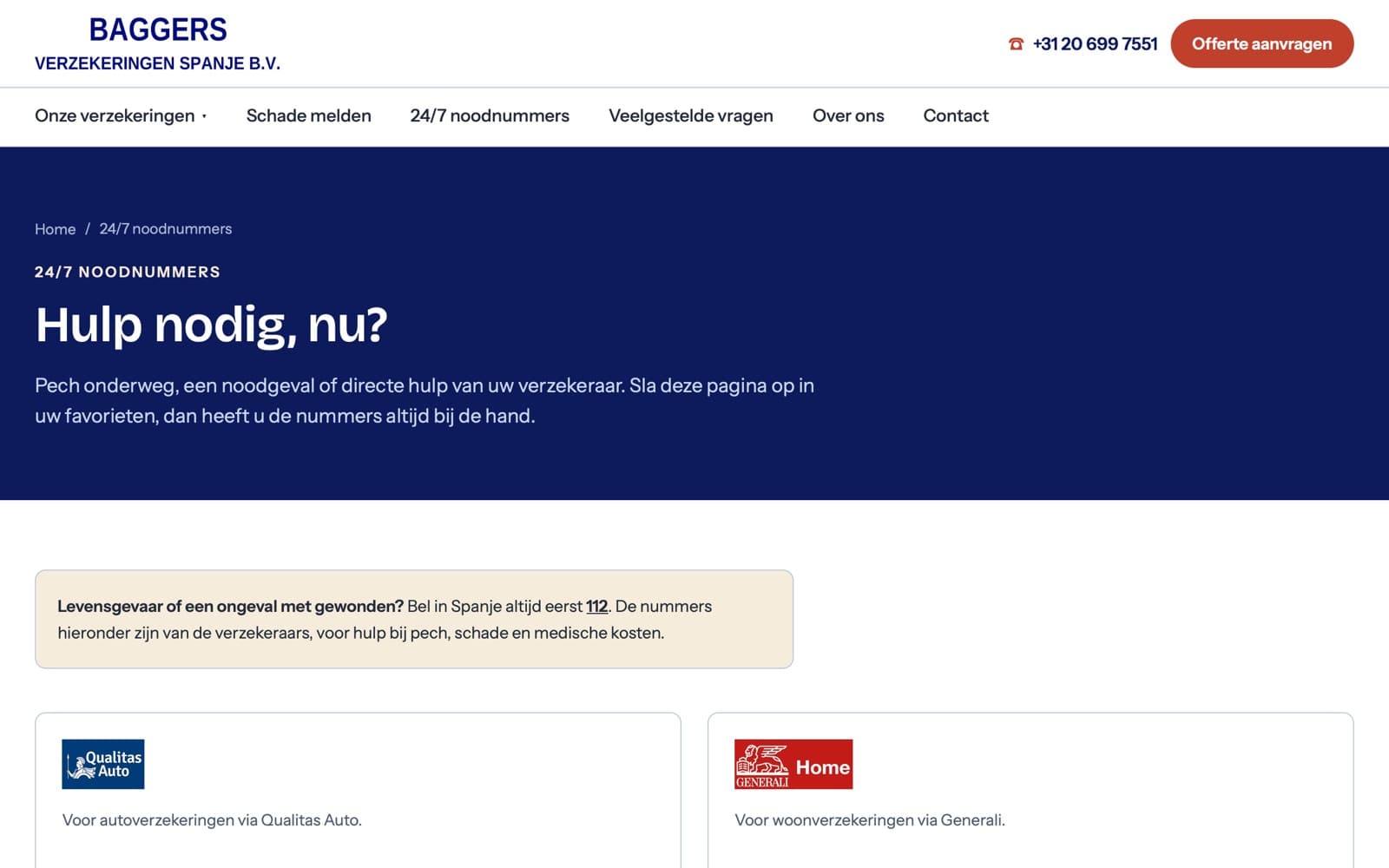
One page with the emergency numbers per insurer, for breakdown, claims and medical costs. At the top it says what to do first: in danger to life or an accident with injured people, call 112. People are told to save the page in their favourites, so they have the numbers when they need them.
Quotes
Quote forms for car, liability and home and contents, in the same step-by-step style. They ask for what the broker needs, including an address in Spain on the car quote, which the office asked for after the first release.
A CMS the office runs itself
Pages and texts. All the pages, the questions and answers and the insurance descriptions are edited in a CMS. A change doesn't wait for us.
The words in the forms. The labels, hints and instructions of every form can be changed in the CMS. The structure and the checks stay as built, so a rewording can't break a form.
Extra questions. For each step of a form the office can add a question of their own: a short or long answer, a choice, yes or no, a date or a number. It can be required or optional. A question added in the middle of a day never blocks someone who is already filling the form in.
Photos and logos. The homepage photos, the logo and the row of insurers can be replaced without a developer.
An overview of submissions. Claims and quote requests are listed with their details and attachments, visible only to the people who have a CMS account, and every view is logged.
Getting found
Old addresses redirect. All the addresses of the old site point to the right new page, so nobody lands on an error and Google keeps what it knew.
Described for search engines. The business, the pages and the trail of links above each page are described to Google in a form it can read, and the pages were reported to the search engines when the site went live.
Forms that stay free of spam. Automated submissions are filtered out in the background. A real person is never asked to prove anything.
What changed for them
The most common questions now have a place on the site: the claim form, the emergency numbers, the accident form to print. Claims arrive complete, with their photos, instead of as a call followed by a series of emails. The office updates texts and forms without us.
What we keep doing
We host and monitor the site on a fixed monthly fee. New requests from the office go straight into the forms and the CMS, such as the Spanish address on the car quote and the extra questions per step. We keep the search side in order and keep the office informed.
 Visit the siteverzekeren-in-spanje.nl